IIS log analyzer for Windows Server
SmarterStats installs on Windows Server 2016 or later and turns your IIS logs into traffic, visitor, bot and server health reports. It reads W3C Extended and IIS legacy logs, including rotating logs and .gz and .zip archives, and pulls site settings straight from IIS.
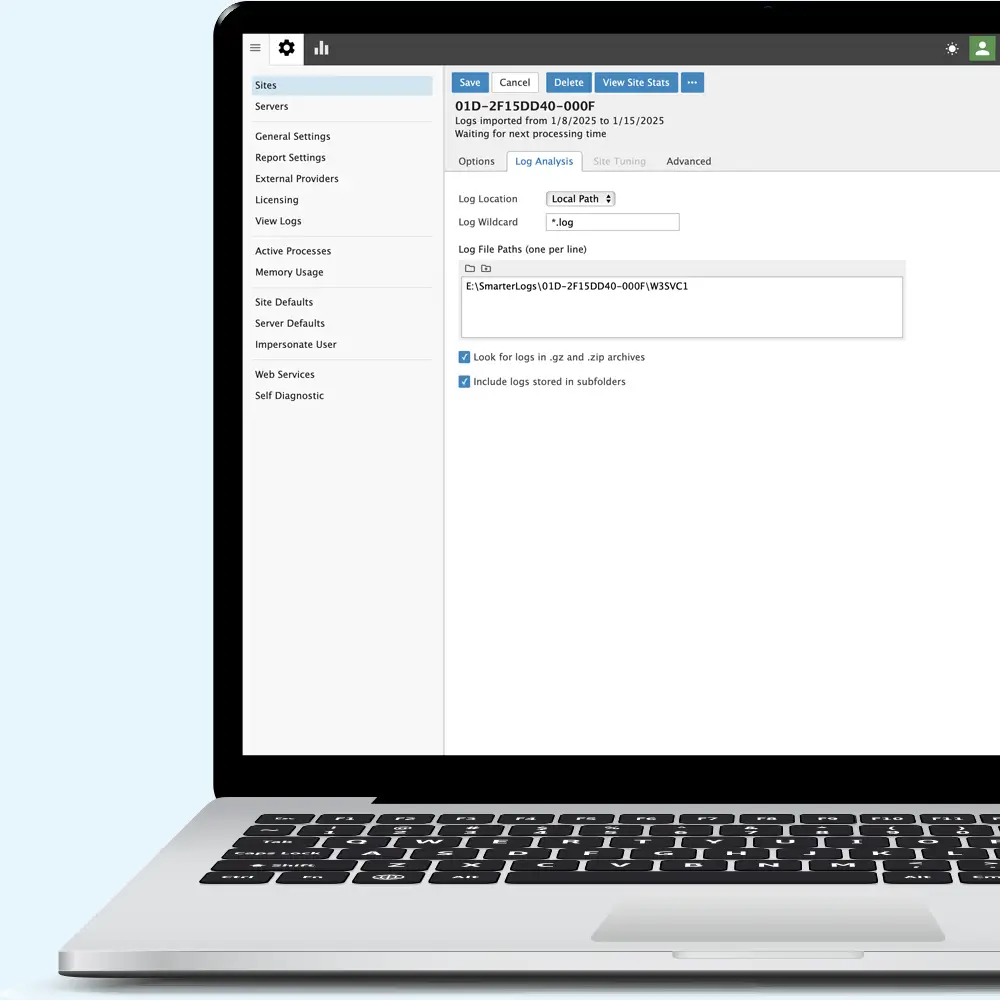
Set up from IIS
Site settings can be imported directly from IIS, so there's no need to enter them by hand. A time saver when hosting multiple websites. SmarterStats detects the log format for each site and handles rotating logs, so new log files are picked up as IIS writes them.
- Install SmarterStats on Windows Server 2016 or later with IIS and .NET Framework 4.8. Leave the license key blank to run the Free edition for one site.
- Import your sites from IIS. SmarterStats finds each site's log folder and detects its log format.
- Open your reports in a browser. New log files are processed as IIS writes them.
- Give users their own access. Create multiple users for each website, giving multiple people access to the analytics they need.
Every field IIS writes
W3C Extended logs record the client IP address, the requested page and query string, the status code, the referring page and the user agent for every request. SmarterStats turns those fields into reports on traffic, entry and exit pages, paths, referrers, browsers, devices, countries and more.
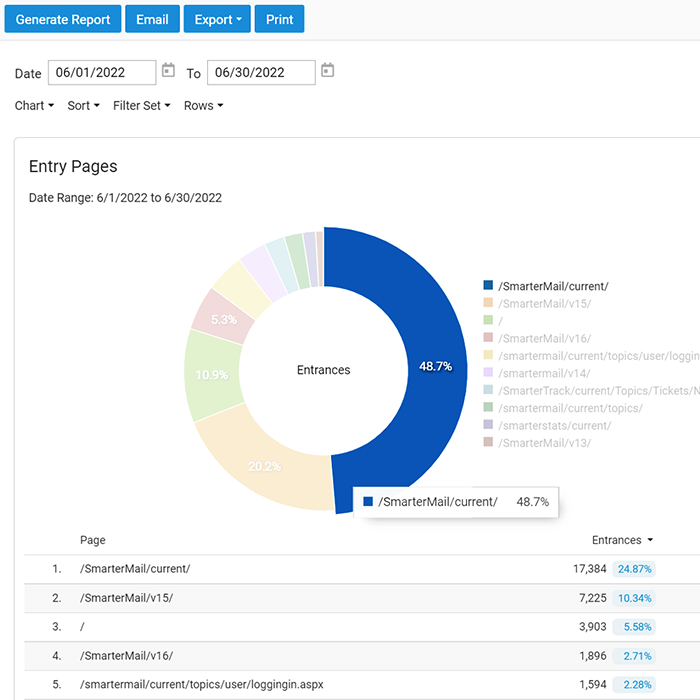
More from your IIS logs
Separate people from bots
Spiders and bots are reported apart from human visitors, so your visitor counts reflect people.
Server health
Status codes, server errors and page utilization, straight from the requests IIS logged.
Reports by email
With Enterprise, schedule reports to arrive by email, in more than 20 languages.
Logs from more than one server
Every edition reads logs locally or over FTP, FTPS, UNC and Samba shares. With Enterprise, install the Remote Service on each web server to process logs where they live and send the results to your main SmarterStats server. The Remote Service runs on Windows Server 2008 R2 or later and on Debian, Ubuntu, RHEL, AlmaLinux, Rocky Linux, Fedora and CentOS Stream, so the same console covers your Apache and nginx servers too.
Requirements: Windows Server 2016 or later, with IIS and .NET Framework 4.8. See the system requirements for the Remote Service's Windows and Linux versions.
Keep exploring
Analytics without JavaScript
Why server-side analytics counts the visitors, bots and failed requests a tracking script misses.
Web analytics without JavaScriptHosting providers
Report on up to 30,000 sites from one installation, with reports for each customer.
Web statistics for hosting providersMoving from AWStats?
SmarterStats installs natively on Windows Server and reads IIS logs out of the box.
AWStats alternative for WindowsFrequently asked questions
Which IIS log formats does SmarterStats read?
W3C Extended and IIS legacy logs, including rotating logs and compressed .gz and .zip archives.
Where does IIS keep its logs?
By default, in %SystemDrive%\inetpub\logs\LogFiles, in a folder for each site. Point SmarterStats at that folder, or import the site from IIS and it finds the logs for you.
Can SmarterStats read logs from other servers?
Yes. Read logs over FTP, FTPS, UNC and Samba shares, or, with Enterprise, process them on each web server with the Remote Service.
Does it read Apache, nginx or Caddy logs too?
Yes. Along with IIS logs, SmarterStats reads CLF and Combined logs from Apache and nginx, and JSON lines logs from Caddy.
Is there a free version?
Yes. SmarterStats Free covers one website with every report and tool.