Server-side web analytics, built from your logs
SmarterStats reports on every request your web servers record, using the log files they already write, and keeps that data on servers you control. While script-based analytics products have their place, server-side analytics provide data that can be excluded from a script-based service due to policy, security, and browser restrictions.
SmarterStats runs on Windows Server with IIS and reads IIS, Apache, nginx and Caddy logs. Start free with one site, then add a license as you grow.
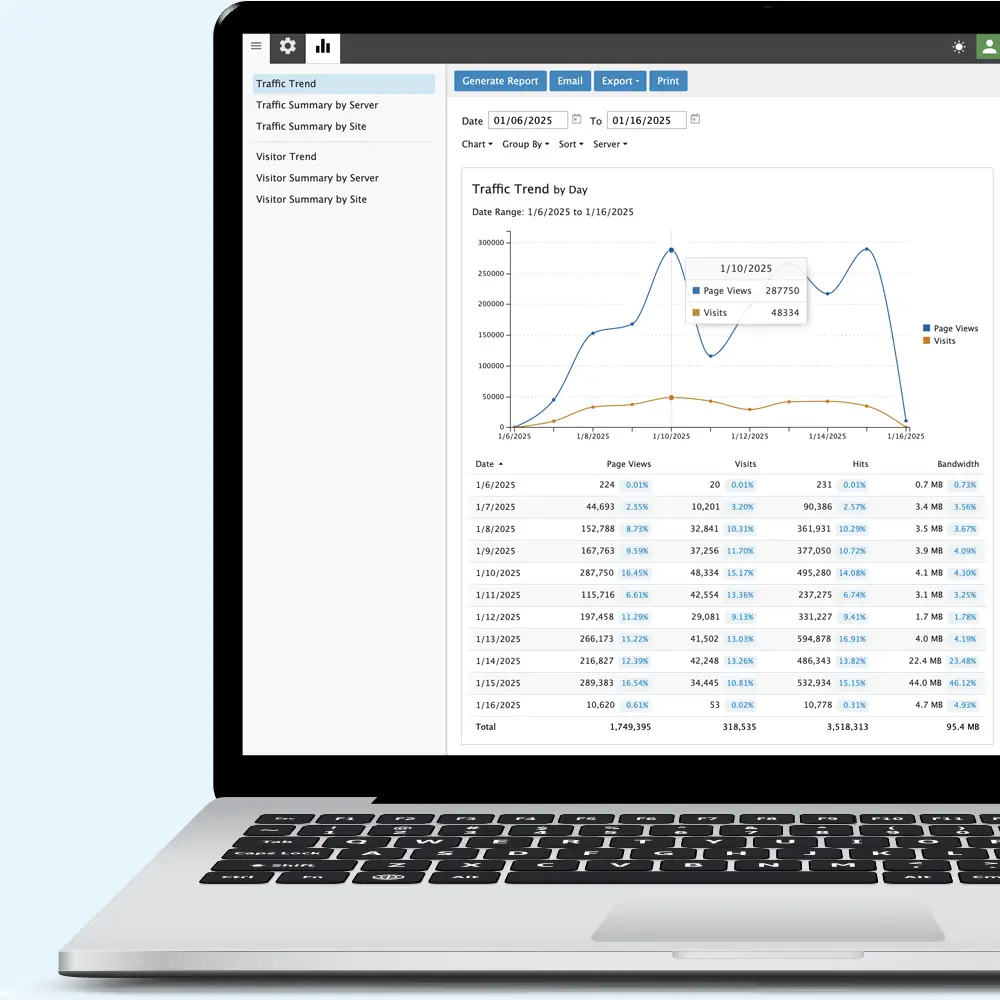
Explore SmarterStats
Deploy it your way
Windows Server
Windows Server 2016 or later with IIS. One installer includes the web interface and the service that processes your logs.
Remote log collection
Read logs locally or over FTP, FTPS, UNC and Samba shares, including rotating logs and compressed .gz and .zip archives.
Remote Service
With Enterprise, install the Remote Service on each Windows or Linux web server and process logs where they live. Linux support covers Debian, Ubuntu, RHEL, AlmaLinux, Rocky Linux, Fedora and CentOS Stream.
Remote Service downloadsHow SmarterStats compares
| Product | Collects data from | Ad blockers and disabled JavaScript | Where your data lives |
|---|---|---|---|
| SmarterStats | Your web server logs | Every request is counted | Your servers |
| Google Analytics 4 | A JavaScript tag on each page | Visitors who block the tag aren't counted | Cloud |
| Cloudflare Web Analytics | A JavaScript beacon (non-proxied sites) | Cloudflare's docs say blockers can stop the beacon | Cloud |
| Plausible | A JavaScript script | Plausible's docs say strict blockers hide 5% to 25% of visitors without a proxy | Cloud or self-hosted |
| Matomo | A JavaScript tracker; log import through a command-line script | Tracker visits are lost to blockers | Cloud or self-hosted |
Competitor details come from each vendor's public documentation, checked November 2026. Products change, so confirm details with each vendor before you decide.
Built for your sites
Hosting providers and ISPs
Report on up to 30,000 sites from one installation, collect logs from every web server on your network, and give each customer access to their own reports.
Web statistics for hosting providersGovernment, education and finance
When policy rules out third-party scripts, or the site can't call out to another company's servers, SmarterStats reports from the logs your web servers already write.
Government and regulated sitesIT and web teams
Track intranet traffic, find the pages throwing server errors, and see which bots are crawling your sites, all from logs you already keep.
Server-side analysisFrequently asked questions
How is SmarterStats different from script-based analytics?
A tracking script runs only on tagged pages, and only in browsers that allow it. Your web server logs every request, whether or not the visitor runs JavaScript or uses an ad blocker. SmarterStats builds its reports from those logs, so the visits a script misses are still counted.
Does SmarterStats replace Google Analytics?
It can. SmarterStats reports on every request that reaches your server, including bots, server errors and visitors who block scripts. If you also want real-time stats, or in-browser details such as clicks and screen size, a script-based tool can run as a complement to SmarterStats.
Which log formats does SmarterStats read?
W3C Extended, IIS legacy, CLF from Apache and nginx, and JSON lines from Caddy, including rotating logs and compressed archives.
Does it work with Linux web servers?
Yes. SmarterStats itself runs on Windows Server, and it reads logs from Windows and Linux web servers. Enterprise customers can install the Remote Service on Linux servers to process logs where they live.
What's the difference between Professional and Enterprise?
Professional includes every report, site tuning and data mining. Enterprise adds distributed analysis with the Remote Service across multiple web servers, scheduled and on-demand email reports, custom reports, and propagation of settings across servers.