SmarterMail Failover for
Simple Email Redundancy
SmarterMail Enterprise offers failover functionality as a part of its licensing. That means a secondary server doesn't require its own Enterprise license. With failover, if the primary server goes down for any reason, the secondary server can be spun up, manually or automatically via script. This allows organizations to decrease the likelihood of service interruptions and virtually eliminate downtime should the unthinkable happens.

Benefits of Failover
- Ideal for small to mid-sized deployments seeking reliable redundancy.
- Single license usable across two servers (primary and standby).
- Cross-platform support for both Linux and Windows environments.
- Utilizes failover functionality of your existing virtualized environment (Vmware, Docker, ProxMox etc.).
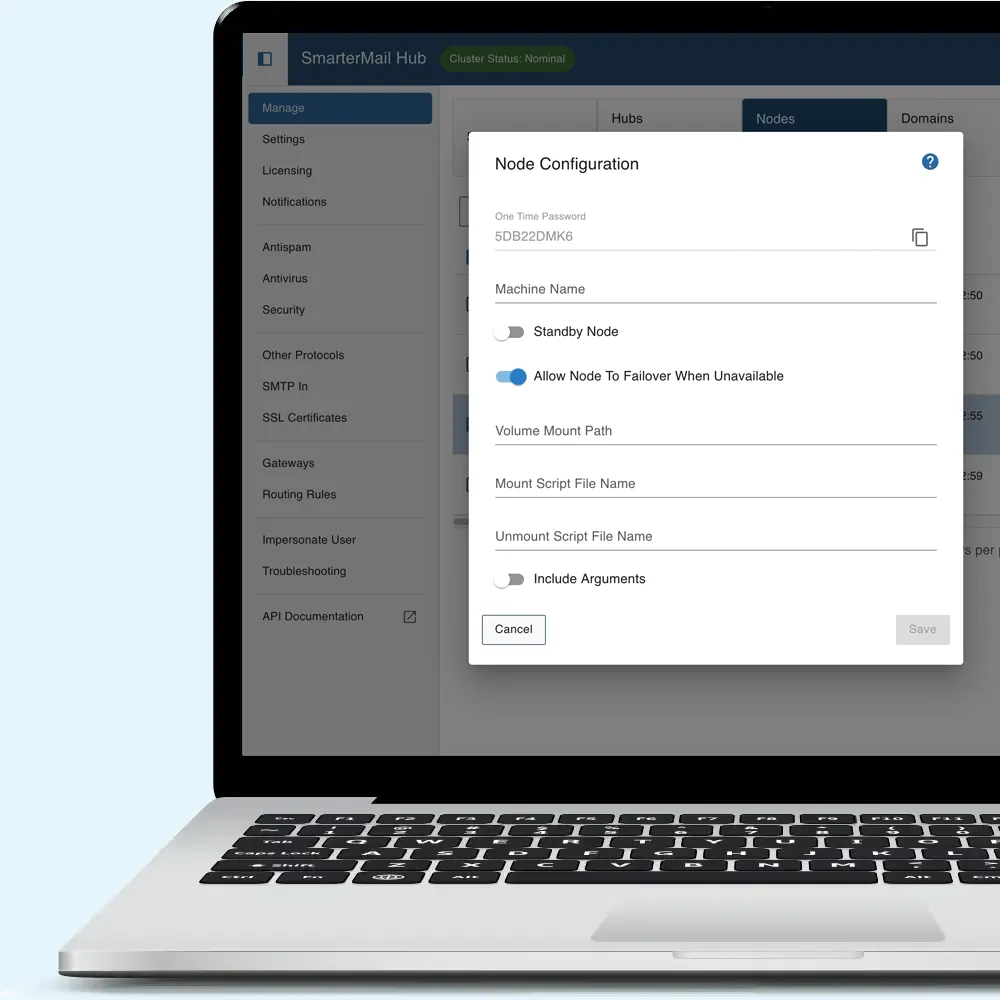
- Supports both manual and automated failover.
- Allows for geographically diverse, redundant datacenter configurations.
- Easily extendable with additional components (e.g., gateways, security appliances).
Who is it for?
- Organizations with a limited number of domains and users that need improved uptime.
- Businesses seeking a simple, cost-effective redundancy solution for their email platform .
- Companies requiring geographically distributed failover for added resilience.
SmarterMail Failover Architecture
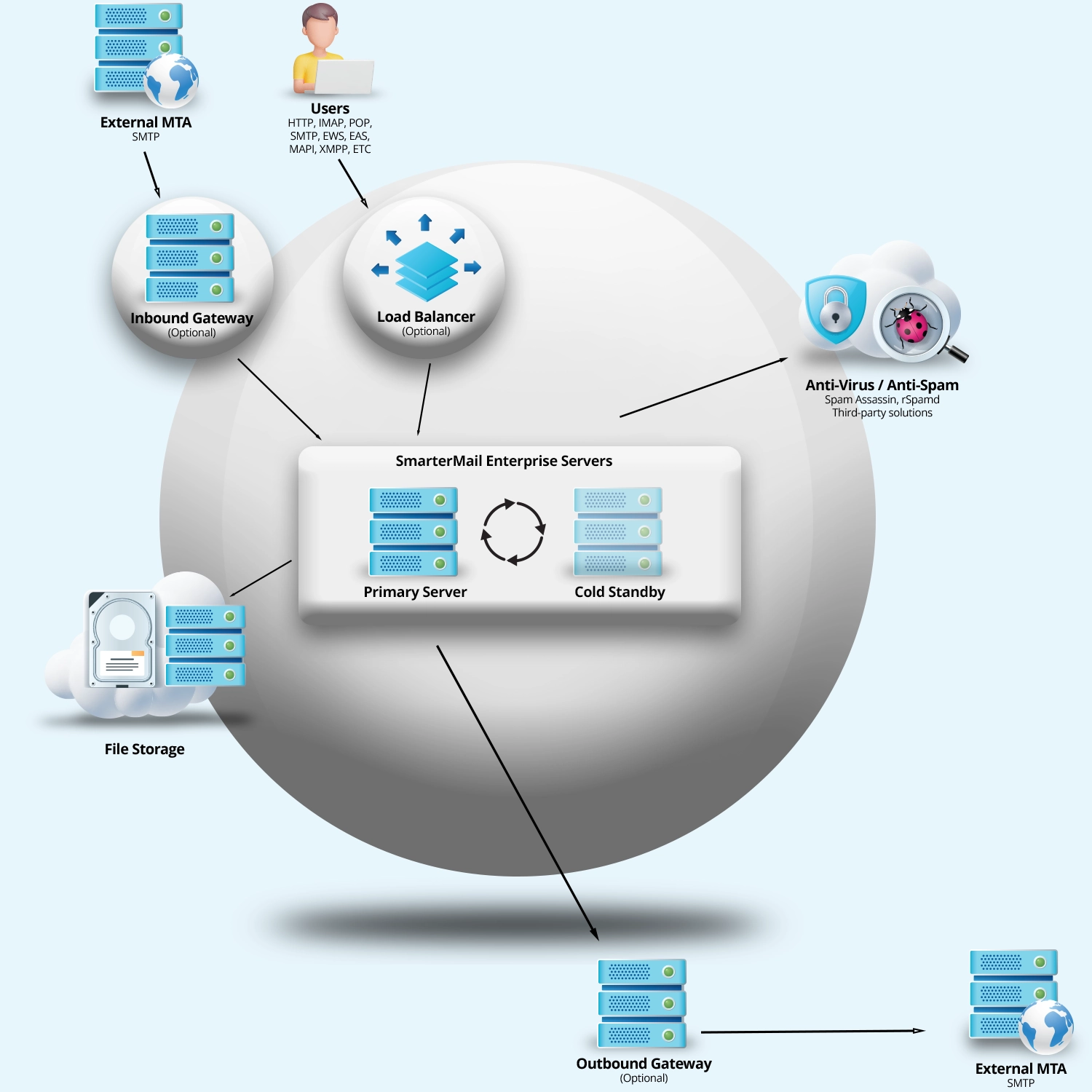
A SmarterMail Enterprise license is all that is required to enable failover, but it does require a properly configured virtualized environment. A secondary server can run the same license as the primary; however, it operates as a cold standby, meaning it remains offline while the primary server is running.
As with High Availability (HA), a failover configuration requires centralized storage to hold all server, domain, and user settings, as well as email data. This ensures both servers have access to the same data if one becomes unavailable.
If the primary server goes down, the secondary server can be brought online—either manually or automatically via script—and will resume mail processing.
For more information, see Configuring SmarterMail for Failover in our help documentation.