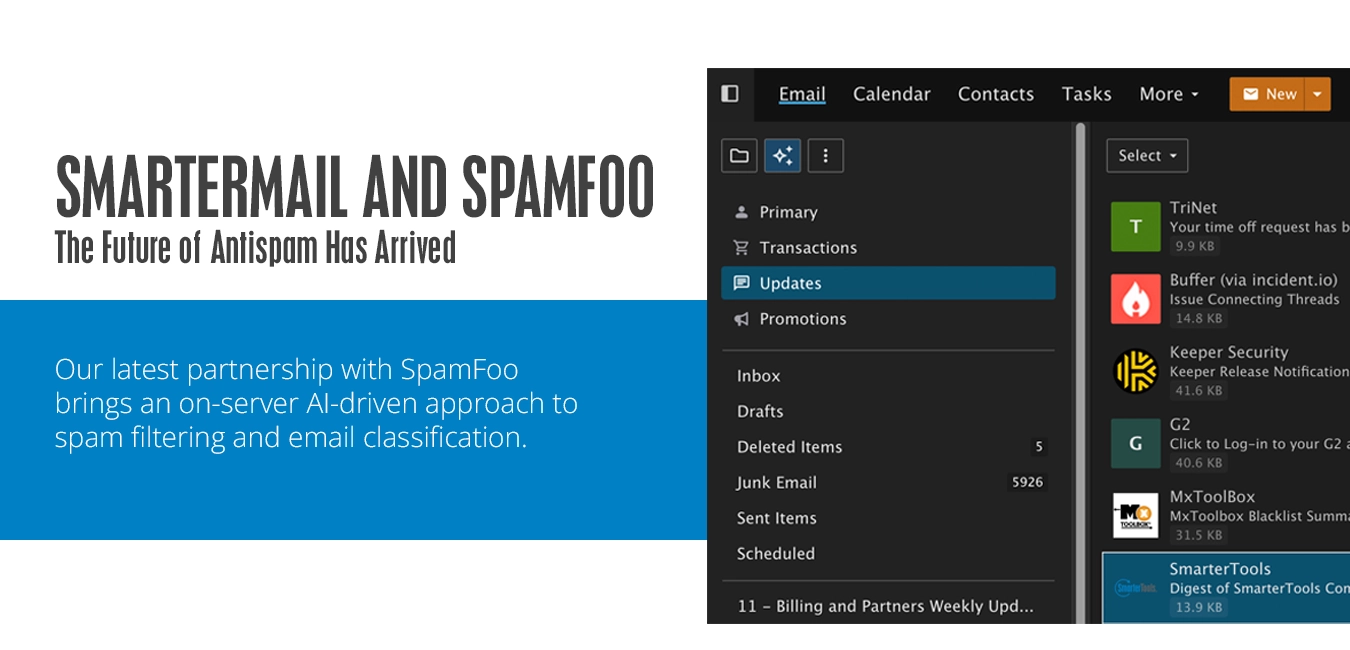
We're excited to announce a new partnership between SmarterMail and SpamFoo that brings two powerful new capabilities to SmarterMail.
- SpamFoo Antispam – Available to all customers using SmarterMail at no additional cost during BETA, then as an add-on after the BETA completes.
- SpamFoo Email Classification – Available to all customers using SmarterMail at no additional cost.
The SpamFoo partnership represents one of the biggest integration efforts with a third party we've made to help our customers better organize their email and fight against spam. Combining SpamFoo Antispam with existing antispam options has the potential to virtually eliminate all unwanted messages for users. And the best part is that it just gets better with time.
SpamFoo Antispam BETA
Email has changed dramatically over the last few years. Traditional spam filters were built to identify obvious spam messages using keywords, rules, signatures, and reputation databases. While those approaches still have value, today's spammers are leveraging AI to generate highly convincing emails that often look completely legitimate.
The result? More spam reaches inboxes, more phishing attempts slip through, and administrators spend more time fine tuning and massaging filters than ever before. That's why we're partnering with SpamFoo.
SpamFoo brings a modern, AI-driven approach to email protection that goes far beyond anything we've previously offered through with Cyren or Message Sniffer. While these services still have their place, they rely on older technologies and approaches in an environment that requires in-depth language analysis.
SpamFoo doesn't simply look for keywords or patterns, it analyzes the intent and context of a message, helping identify sophisticated spam, phishing attempts, and unwanted email with remarkable accuracy. As a result, SpamFoo provides unprecedented visibility and transparency into how email is being processed through a comprehensive set of dashboards for users, domain administrators, and system administrators. For the first time, administrators can gain deep insight into filtering decisions, user feedback, trends, and mail flow across their organization.
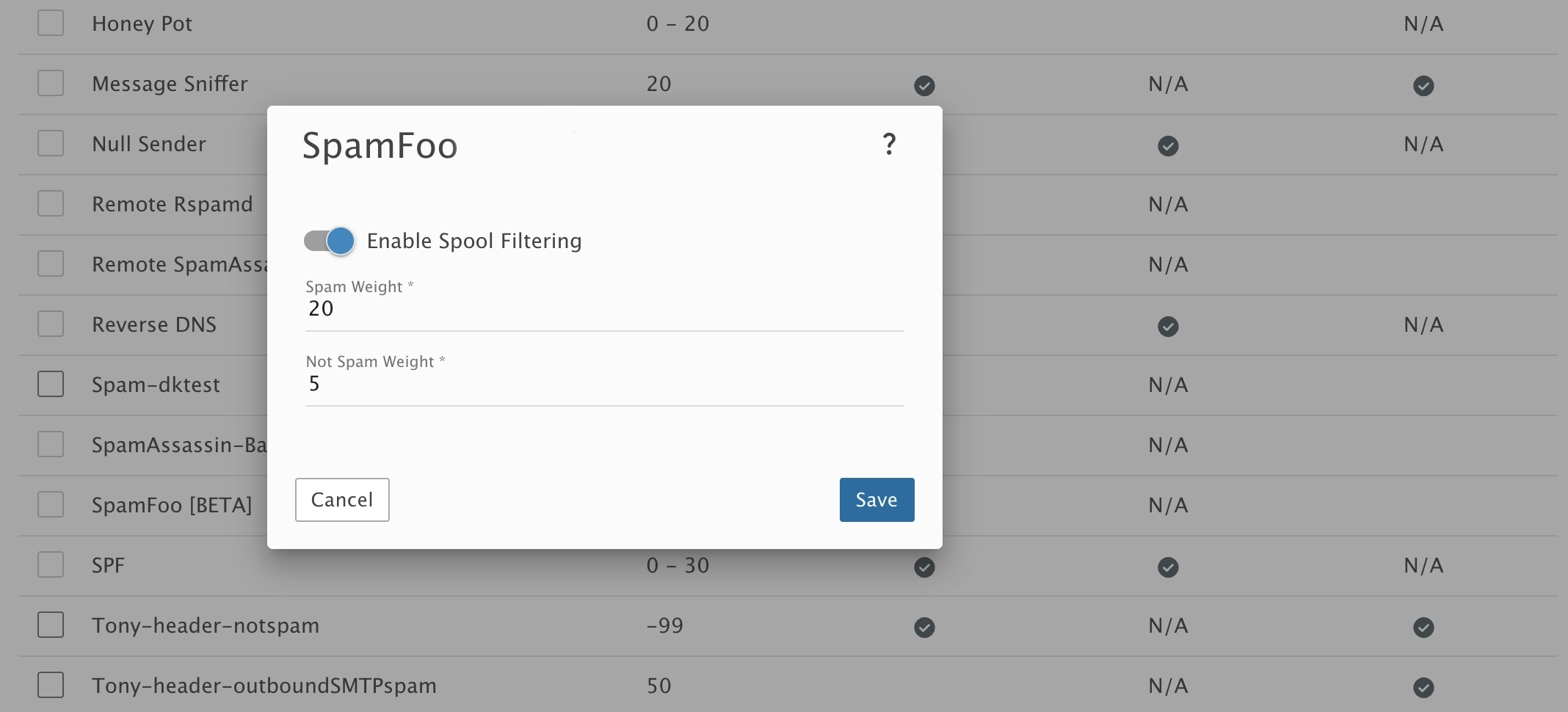
Getting started with the Beta of SpamFoo Antispam is very simple: there’s already a Beta license included with our latest Build. There’s nothing to sign up for or install. All a system administrator has to do is enable it as a spam check (Settings -> Antispam and click on the Spam Checks tab) and set whatever Spam and Not Spam weights you want it to use.
Once the Beta is complete, SpamFoo Antispam will be available as a paid add-on just like Message Sniffer and Cyren.
SpamFoo Email Classification
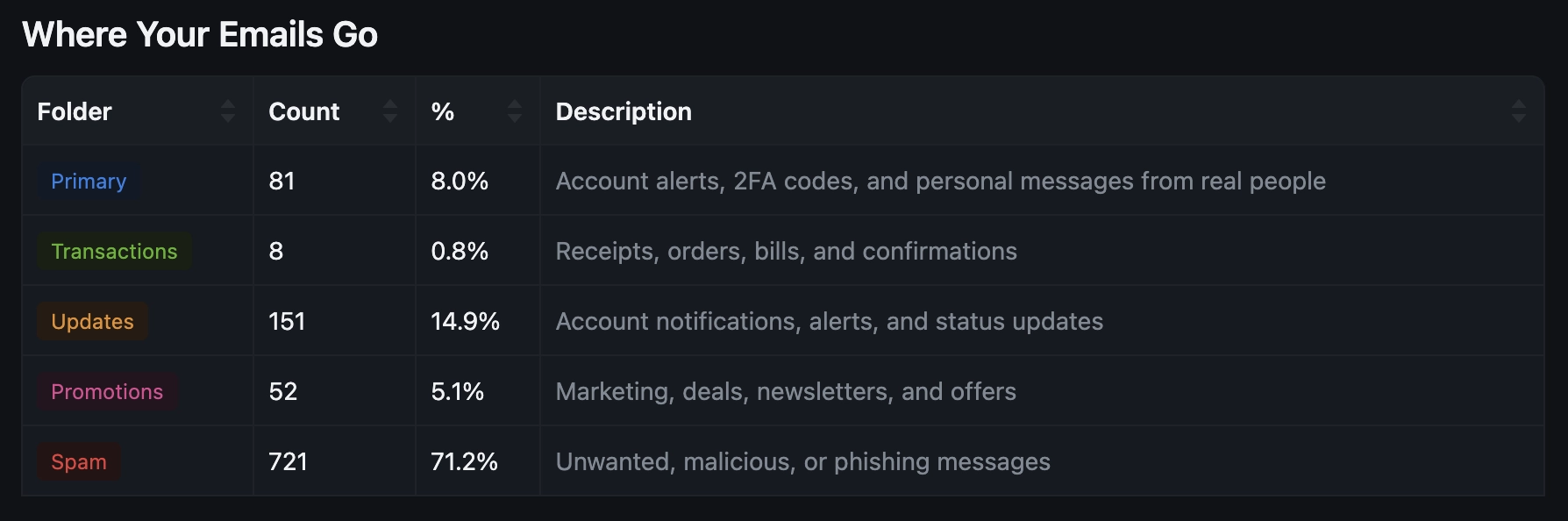
If you've used Gmail's Primary, Promotions, Updates, and Transactions labels, you'll immediately understand the value. Email Classification automatically organizes messages into four logical and intelligent classes:
- Primary – Account alerts, 2FA codes, and personal messages from real people
- Transactions – Receipts, orders, bills, and confirmations
- Updates – Account notifications, alerts, and status updates
- Promotions – Marketing, deals, newsletters, and offers
Unlike traditional folders, messages never leave the Inbox. These classifications simply provide intelligent views that help users focus on the email that matters most. Even better, users can change provide feedback by reclassifying their messages, which happens immediately, while helping the overall system continuously improve over time as more email is delivered.
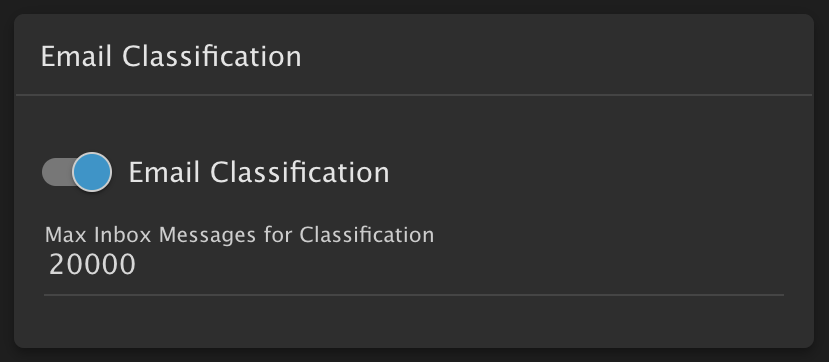
To get started with Email Classification, all a system administrator has to do is enable it in Domain Defaults. (Manage -> Domain Defaults.) Email Classification has its own card, underneath the Features card, and is disabled by default. Therefore, once the setting is enabled at the system level, it will need to be propagated to all domains as it's disabled by default for domains as well. Alternatively, domain administrators can enable it themselves.
There IS one area that system and domain administrators will want to be aware of, however. On the Email Classification card there is the "Max Inbox Messages for Classification" setting. This allows administrators to set an upper limit to the number of messages in a user’s inbox in order for Email Classification to automatically begin. By default, this is set to 20,000, though it can be changed. What that means is that if a user’s Inbox has 20,000 messages or more, Email Classification will NOT be enabled automatically for that user. Instead, it will have to be manually enabled by their domain administrator. This setting was put in place to prevent Email Classification from taxing the mail server for an extended period of time during its initial start up as all messages will need to be processed.
SpamFoo Dashboards
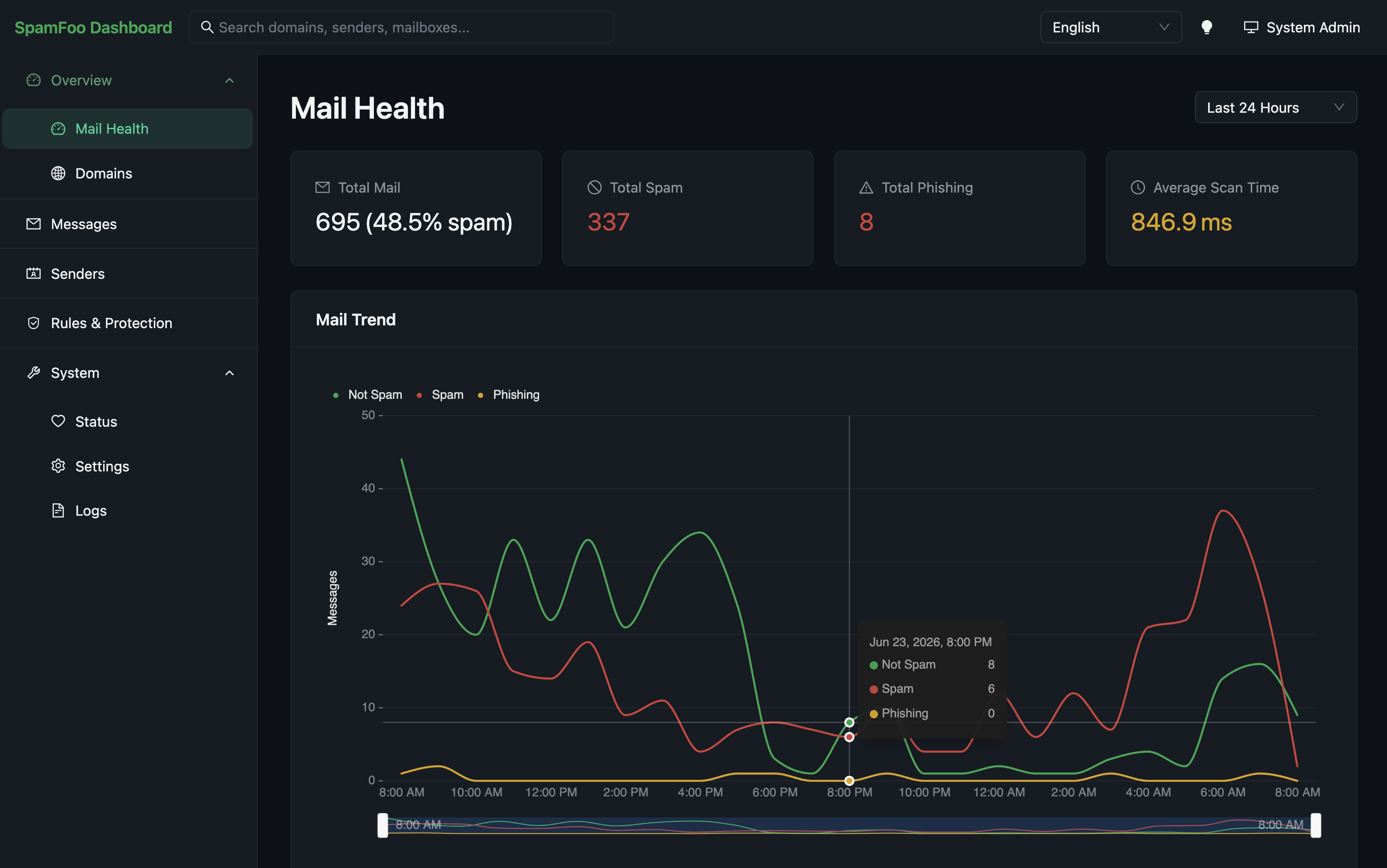
SpamFoo introduces an entirely new level of transparency into email filtering with their dashboards.
- Users can see exactly how their email is being categorized and routed.
- Domain administrators gain visibility into filtering activity across their entire domain and can create rules that affect all users.
- System administrators receive a server-wide view of SpamFoo activity, licensing, updates, filtering performance, and troubleshooting tools.
This level of insight and control simply wasn't possible with our previous antispam partners.
Privacy First
One of the most exciting aspects of both SpamFoo Antispam and Email Classification is that everything runs directly on your SmarterMail server and existing hardware. That means:
- No email content is sent to external AI providers.
- No ChatGPT, Claude, etc. subscriptions.
- No API tokens or usage.
- No AI-specific GPUs or other additional hardware.
Your email data stays within your organization and under your control while still benefiting from advanced AI-driven analysis.
We're incredibly excited about what this partnership brings to the future of email security and email organization inside SmarterMail. We can't wait to hear your feedback as we continue to evolve the platform.